

Introduction
Writing content is only half the battle. If you want your blog posts to rank on Google, you need on-page SEO for beginners—optimizing each post so search engines can understand and value your content.
Many beginners think just writing good content is enough. The truth? Without on-page SEO, even excellent posts often stay invisible. I’ve seen beginners triple their traffic by applying simple SEO principles to each post.
In this guide, I’ll show you how to optimize your blog posts step by step—from titles to meta tags, headings, internal links, and more—so even new websites can start ranking in 2025.
What Is On-Page SEO?
On-page SEO means optimizing **individual web pages** so Google and other search engines understand what the page is about.
It includes:
Keywords
Headings
Content structure
Meta tags
Internal linking
Internal link: SEO for Beginners
Why On-Page SEO Matters for Beginners
Without on-page SEO:
Your posts won’t rank
Traffic stays low
Your content gets lost
With proper on-page SEO:
Google understands your content
Readers find your posts
Long-term growth is possible
Internal link: Keyword Research for Beginners
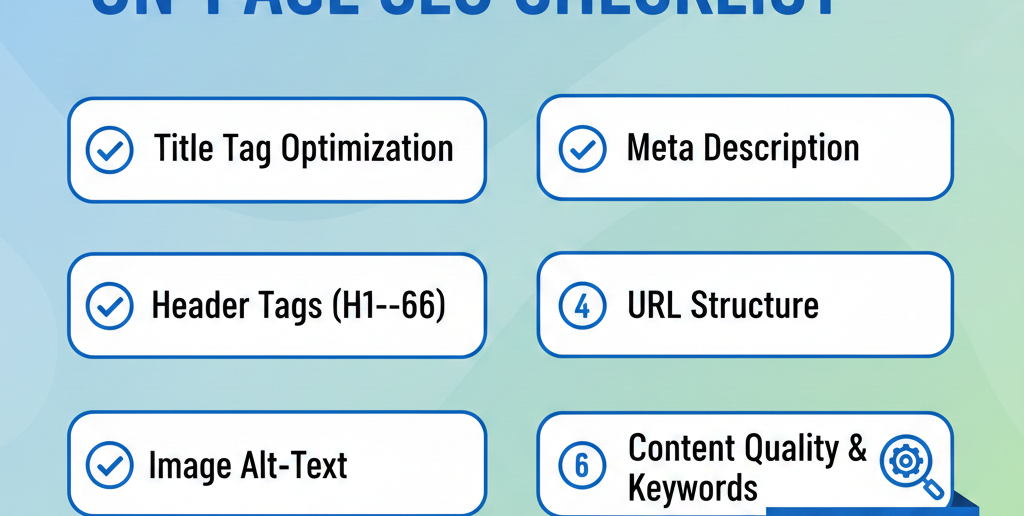
On-Page SEO for Beginners: Step-by-Step

Step 1: Optimize Your Title
Include your focus keyword
Keep it under 60 characters
Make it clickable
Example:
“On-Page SEO for Beginners: Step-by-Step Guide”
Step 2: Use SEO-Friendly URLs
Include main keyword
Keep it short & simple
Avoid numbers or symbols
Example:
`yourwebsite.com/on-page-seo-for-beginners`
Step 3: Write a Strong Meta Description
Include focus keyword
Summarize content clearly
Keep under 155 characters
Step 4: Use Proper Headings (H1, H2, H3)
H1: Post title (only once)
H2: Main sections
H3: Sub-points
Improves readability & SEO
Step 5: Keyword Placement
Use main keyword:
In first 100 words
In headings (H2/H3)
Naturally in content
Include LSI/related keywords
Step 6: Add Internal & External Links
Internal links: Related posts or category pages
External links: High-authority sources (E-E-A-T)
Anchor text should be descriptive
Step 7: Optimize Images
Use alt text with keywords
Compress images for fast loading
Use descriptive filenames
Internal link: SEO for Beginners
Step 8: Improve Content Readability
Short paragraphs
Bullet points & lists
Simple language
Subheadings for scanning
Step 9: Mobile-Friendly & Speed
Use responsive theme
Minimize plugins
Enable caching
Use Google PageSpeed Insights to test
Common On-Page SEO Mistakes Beginners Make
Keyword stuffing
Ignoring meta description
No internal linking
Overlooking headings & structure
Slow page speed
FAQs on-page SEO
What is on-page SEO for beginners?
Optimizing individual pages to rank higher and get more traffic.
Do I need plugins for on-page SEO
Yes, beginner-friendly plugins like RankMath or Yoast help.
How many keywords should I use?
One focus keyword + 2–3 related keywords per post.
Does on-page SEO guarantee ranking?
It improves chances, but content quality and backlinks matter too.
Is on-page SEO enough for a new blog?
It’s the foundation; combine with keyword research and backlinks.


